
SkyDeck for iPhone
Track your Bluesky followers day by day
A follower count that went from 1,204 to 1,207 could mean three people arrived — or that twenty did and seventeen left. SkyDeck keeps the two apart.

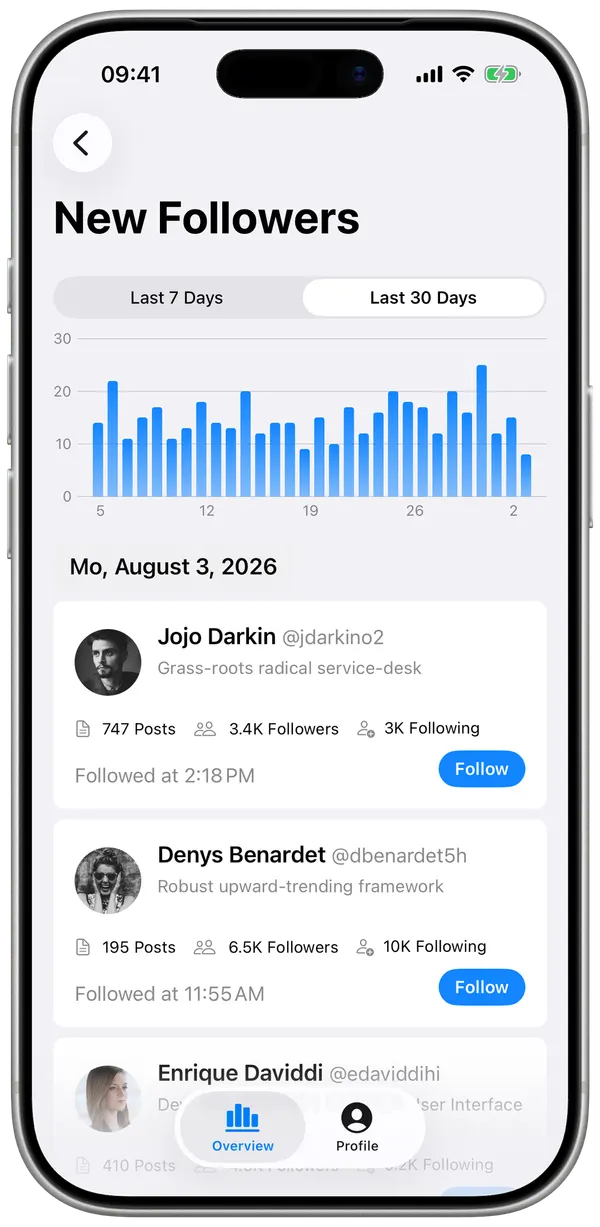
Net change hides most of the story
Bluesky gives you one number, refreshed in place. Watching it move tells you the direction but never the volume, and the two come apart constantly. A quiet week and a turbulent week can produce exactly the same net figure.
SkyDeck keeps arrivals and departures apart, so the two never cancel out into a single number that tells you nothing.
What the app shows
- A growth curve built from the date each person followed you
- Daily bars of new followers for the last 7 and 30 days
- New followers as a dated list, with each profile's own stats
- Unfollows as a dated list, with how long each person stayed
- An average tenure across everyone who has left since you started
Because every follower carries the date they arrived, a spike is answerable rather than mysterious: open the day and see exactly who showed up, which usually explains which post did it.
Where the history comes from
Not from a counter SkyDeck starts keeping. A follow is a dated record, and SkyDeck backfills your notification history to collect those dates — so the curve reaches back through your account rather than beginning the day you installed the app. Your posts come the same way, from your feed.
Unfollows are the exception, and the growth curve does not subtract them: it counts arrivals. Departures live in their own list, for the reason on the unfollower page.
Large accounts
Syncing tens of thousands of relationships takes time and runs into rate limits. SkyDeck does it in the background, resumes where it stopped, and backs off when the server asks it to, so you do not have to sit with the app open.
On the home screen
A widget can show your profile stats per account, so the number is there without opening anything, and you can ask Siri for your follower count instead.
Answers
Questions
How do I track my Bluesky follower count over time?
SkyDeck does not save a counter — it records when each person followed you and cumulates those dates into a curve. Because those dates come from your notification history, the curve reaches back well before the day you installed it.
Does it track arrivals and departures separately?
Yes, and that is the point. A net change of zero can mean nothing happened, or that twenty people arrived and twenty left. New followers appear as daily bars; unfollows are kept as their own dated list. Those are very different weeks, and only one of them is worth looking into.
Can I see the history from before I installed it?
Yes, largely. Follows carry the date they happened, and SkyDeck backfills your notification history to collect them, so your curve starts well before your first sync. The exception is unfollows: those are only detectable from the first sync onwards.
Does it work for large accounts?
Yes. Syncing runs in the background and resumes where it left off, so accounts with tens of thousands of followers are handled without keeping the app open.
Can I track someone else's follower count?
You can view any public profile and its current counts. Tracked history is only kept for accounts you sign in as.
Get SkyDeck
Free to install. The history starts the day you do.
Elsewhere on this site